If you have a USDC balance, you can transfer it to an external address on a compatible blockchain.
1. Select Transfer from the upper right corner of the Home screen.
2. Select which wallet you are transferring from.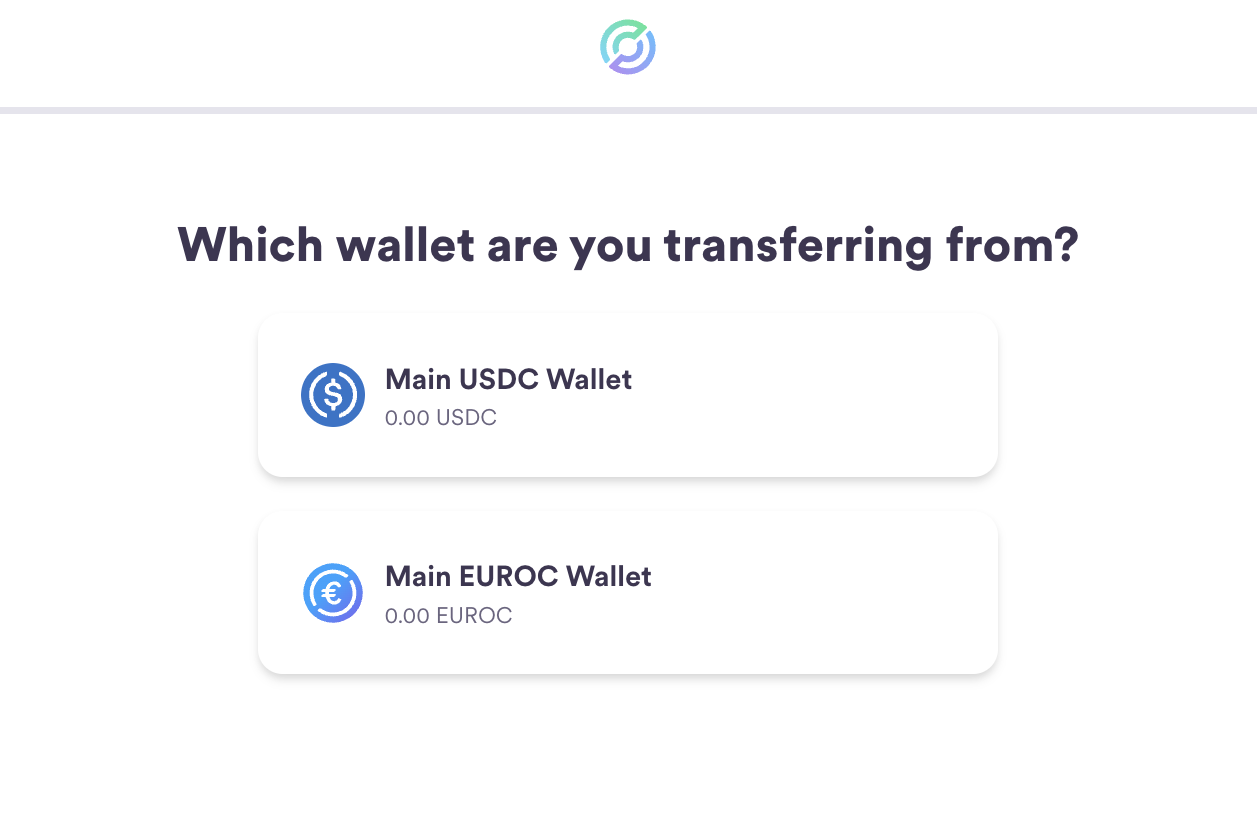
3. Select Send Onchain.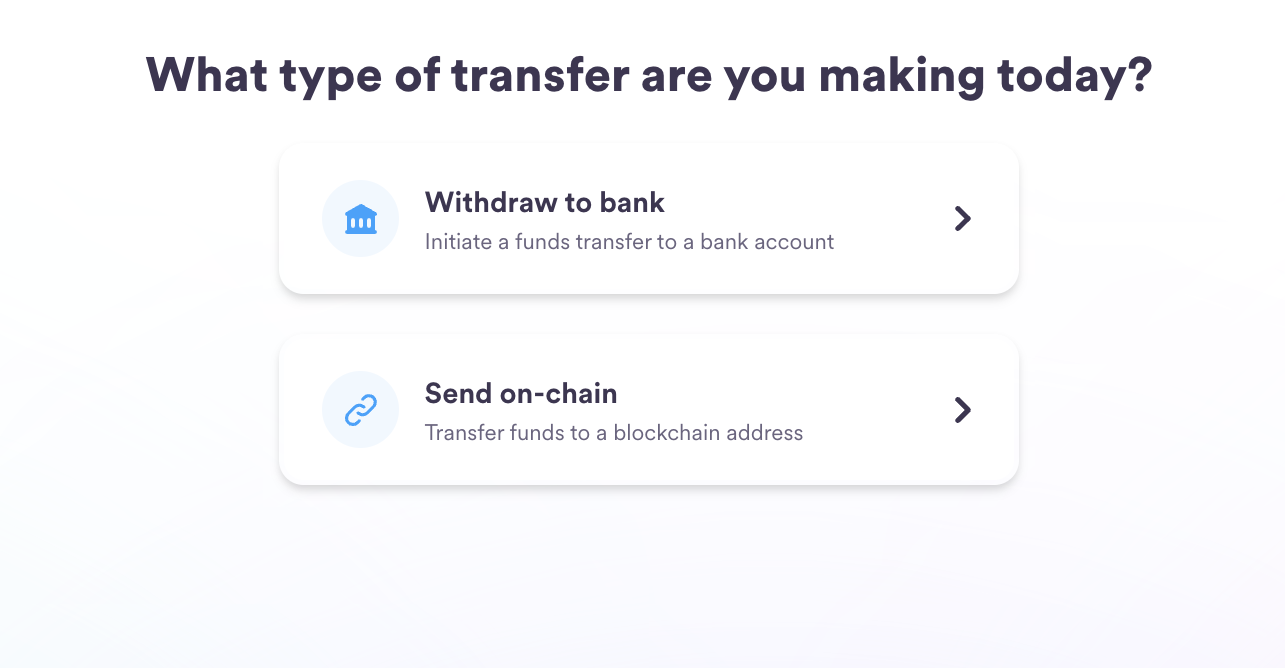
4. Select the blockchain and the external address.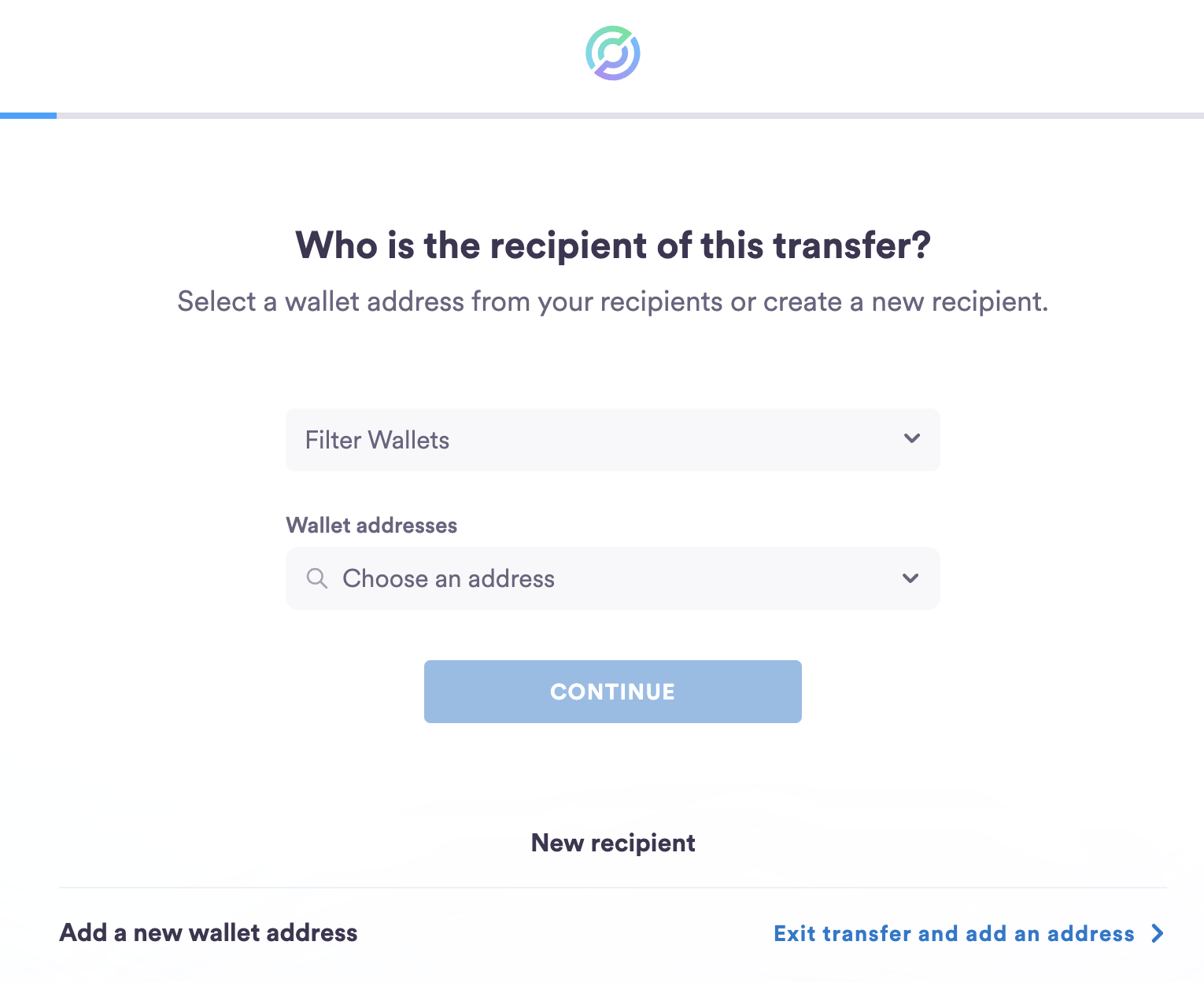
5. Add the amount you want to send. The amount sent to the withdrawal address will be the amount you specify, minus any transaction (gas) fees. This amount will be indicated in the Total Transferred field at the bottom of the page.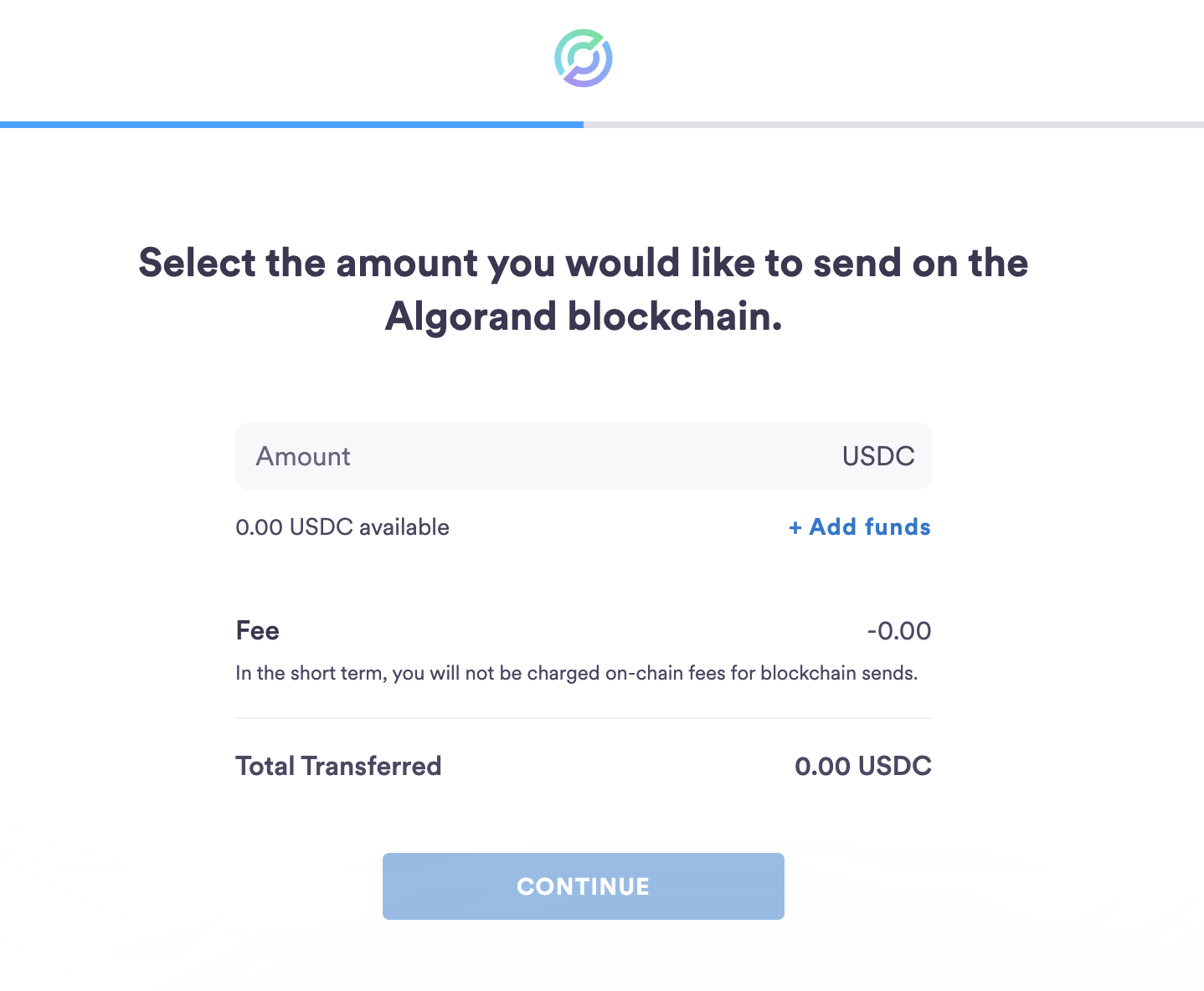
6. Review the transfer information and confirm.
7. Verify the transaction via your 2FA mechanism
8. The amount will then be debited from your account, and the transaction will now be visible in your Recent Activity on the home screen.
Adding a withdrawal address
To secure your tokens, you can only transfer USDC to addresses you have added to your Circle Account.
You will be prompted to add an address if you try to send funds and have no verified withdrawal addresses in your account. This option is also available in the sidebar under Blockchain Addresses.
-
Select the blockchain
-
Add a nickname for your withdrawal address (this will help you identify it in the future)
-
Paste the address, and continue
-
Enter your two-factor code
-
You can find the new address by navigating to Blockchain Addresses and toggling between the Your Addresses and Recipient Addresses tabs.